
Personal media collections · 01 / Across drives
Catalog Media on External Hard Drives on Mac
Find which drive holds an image, video or audio file—even when that drive is disconnected.
By LumenPod · Updated October 24, 2026 · Direct-download edition
What an offline media catalog does
To find media across external hard drives on Mac, first catalog the folders while each drive is connected. An offline media catalog remembers the library entries after a drive is unplugged. You can look up a collected image, video or audio file, identify its drive, and reconnect that drive to open the original.
This solves a different problem from storing everything on your Mac. A catalog is an index, not another copy of your collection. It cannot play a video from an unplugged drive or recover a file from a failed disk.
For example, you might keep images on Photo Archive, videos on Video Archive, and recordings on Audio Archive. A shared tag such as Coast helps you find related media without remembering which archive contains it.
Build your external drive catalog
These steps describe LumenPod's direct-download edition for Apple Silicon Macs. External-volume cataloguing is not available in the Mac App Store edition.
- Give each drive a recognizable name and label the physical drive to match. Two drives named Untitled are easy to confuse.
- Connect the first drive. In LumenPod, use Import Media to add a small media folder from it. This catalogs existing files in place rather than moving them into a new library.
- Check a few images, videos or audio files while the drive is connected. Confirm that the originals open from the location you expect.
- Add useful tags and ratings. Use subject or genre tags across drives, rather than repeating a drive's name as every item's tag.
- Repeat with the media folders on your other drives. Start with a representative folder on each drive before adding the rest of your collection.
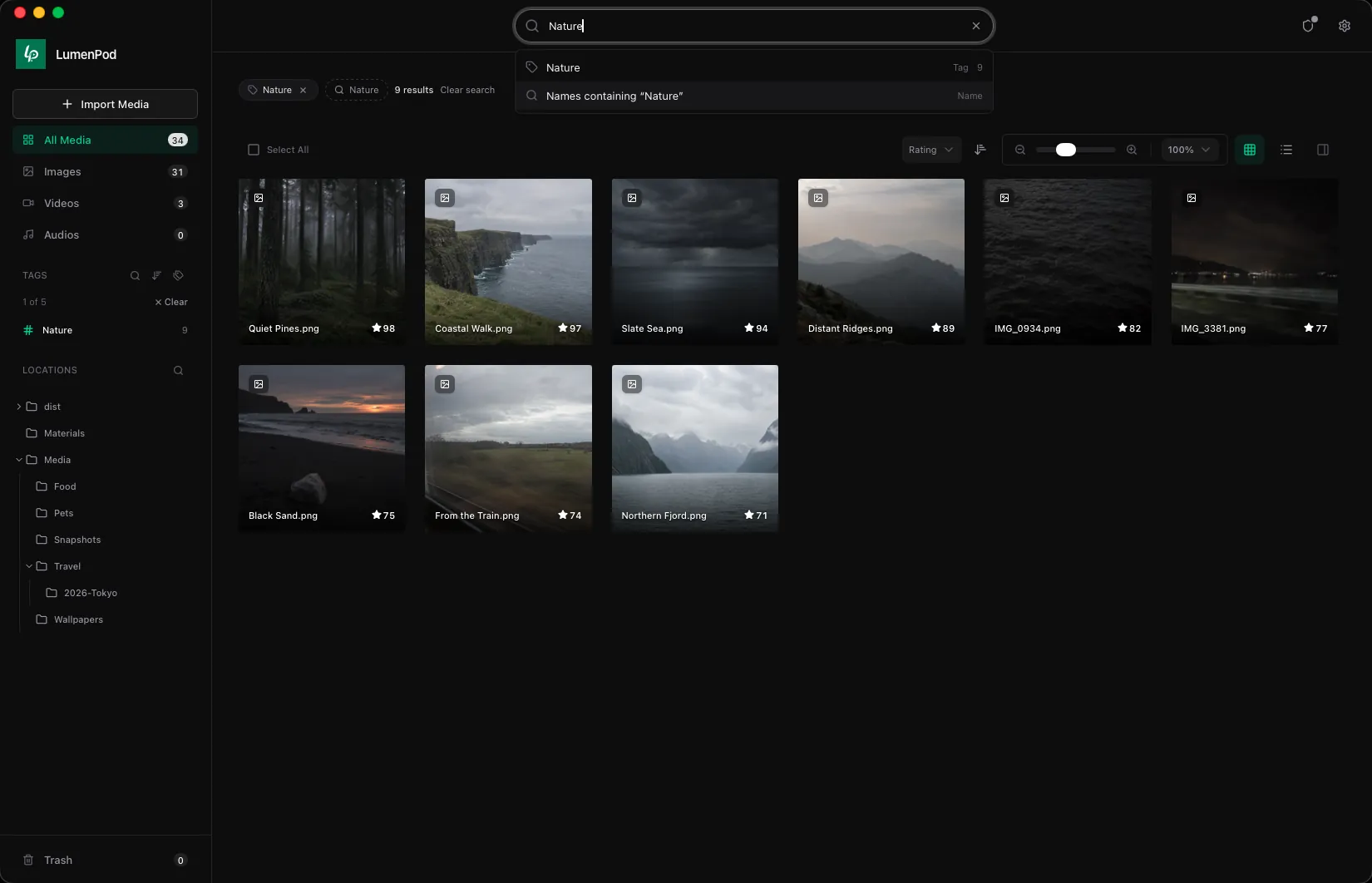
Find a file when the drive is disconnected
After import has finished and no file operations are running, eject a drive using macOS. Its catalogued media stays listed in LumenPod and is marked offline. Search by a remembered name or tag, and check the offline entry for the drive label. Connect that drive again to open the file.
Try this with a sample folder before relying on the catalog for your archive. Search for one known file with the drive connected, then repeat after ejecting it. You should be able to identify the same item and which drive holds it, while opening the original still requires the drive.
Keep the distinction clear: offline catalog means a searchable record of media on disconnected storage. Offline playback would require an accessible local copy. One does not imply the other.
Keep your catalog useful
Use descriptive drive labels and stable folder locations. If you rename or move originals outside the app, check whether the library can still open them; a catalog entry is not proof that its saved file path is current. Likewise, a drive's contents can change while it is connected to another computer, so treat the catalog as a record of what you added, not a live inventory of disconnected storage.
Keep an independent backup of the actual media. The catalog does not replace a second copy of your images, videos or audio. If selected media needs encryption, handle that as a separate step and keep the recovery files described in support and recovery guidance.
External drive questions
Can I search an external hard drive without plugging it in?
You can search entries that you catalogued beforehand. LumenPod cannot discover new files on a drive it has never read, or detect changes made while that drive is disconnected.
Can I watch videos or listen to audio from an unplugged drive?
The original drive must be available to open its files. An offline catalog helps you find the right drive; it does not keep a playable copy of every file on your Mac.
Is this a catalog of every file on my disks?
This guide covers a personal media collection of supported images, videos and audio. It does not promise an inventory of every document, application or system file on a disk.
Can I organize media without moving files off the external drive?
Yes, the direct-download edition catalogs media where it sits. Read how to organize media without moving files for the difference between adding entries to a library and copying originals.