For macOS · Apple Silicon

A home for the media you collect.

Organize your personal collection of images, videos and audio on Mac. Find favorites with tags and ratings, keep track of files across drives, and protect selected media with local encryption.

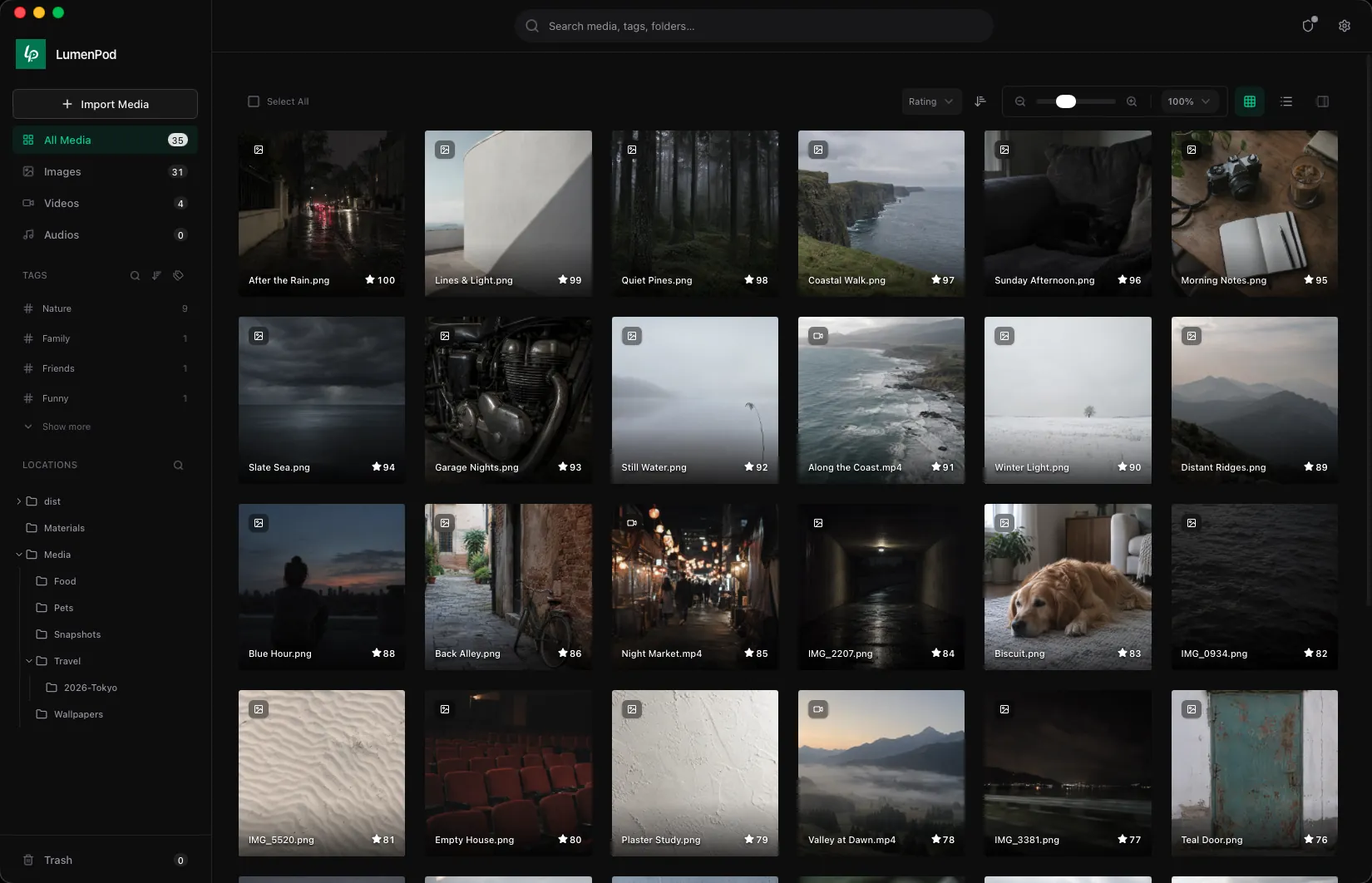
Browse your personal collection with tags and ratings
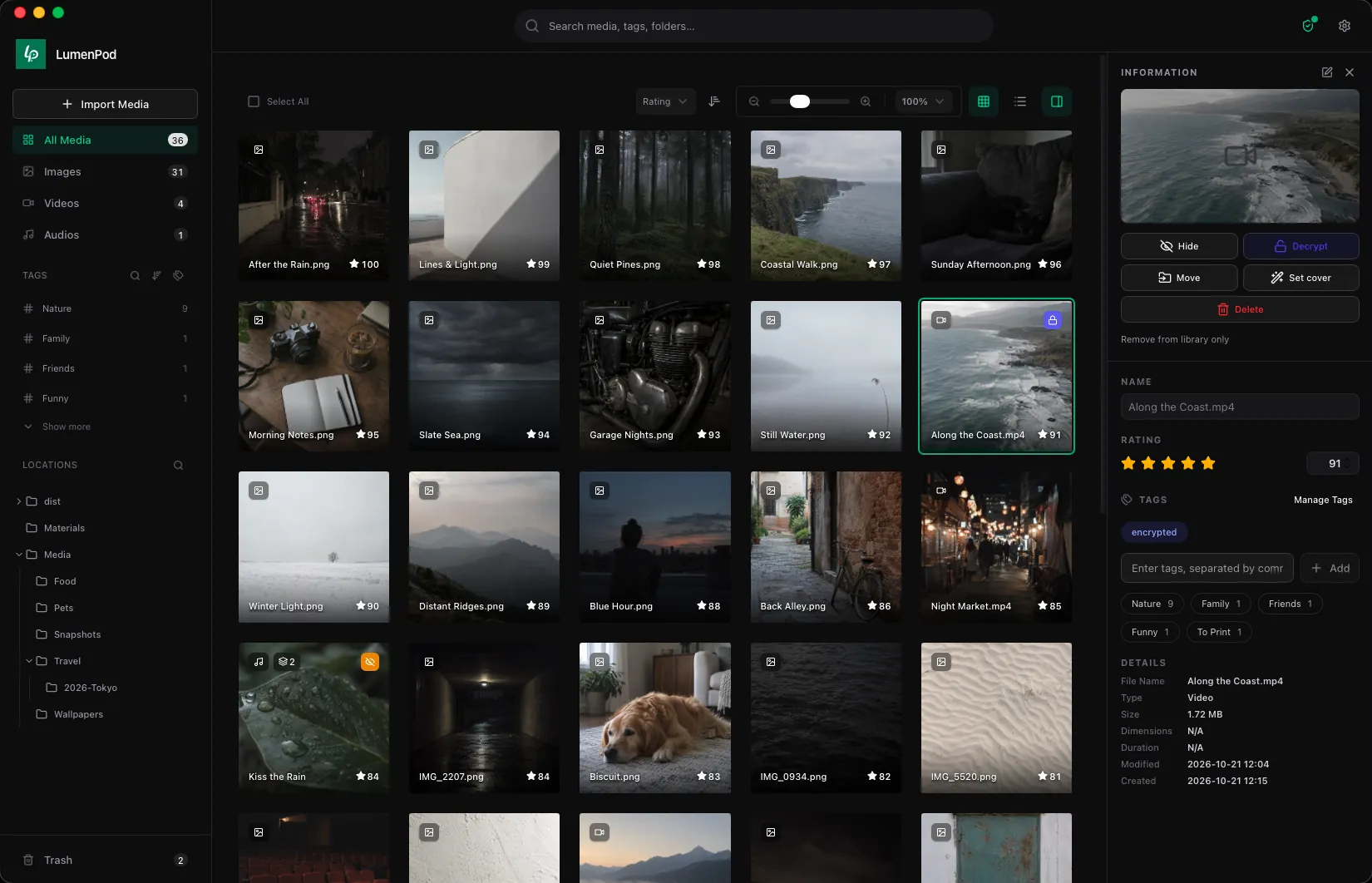
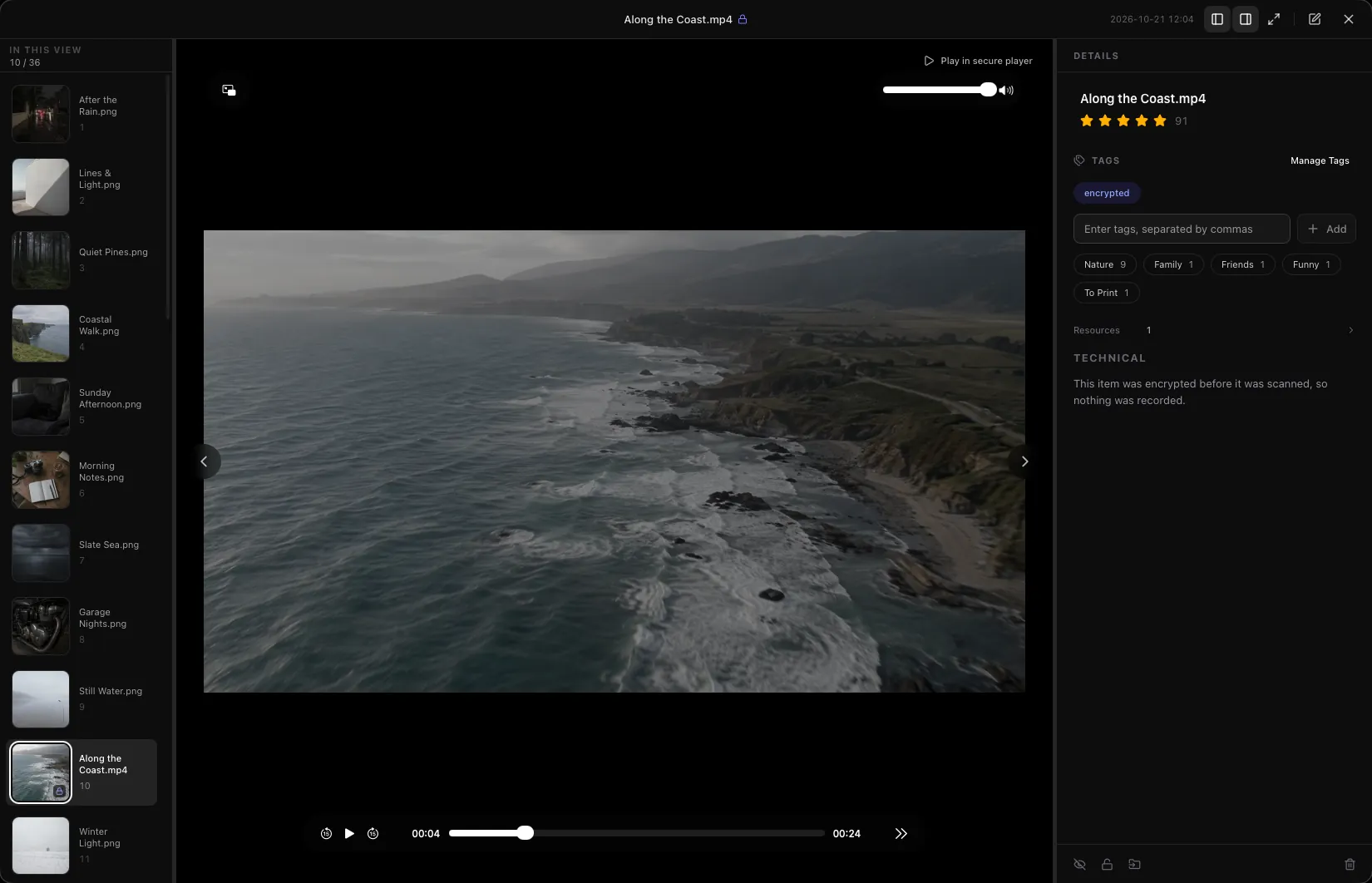
Encrypted video plays in place — no decrypted copy
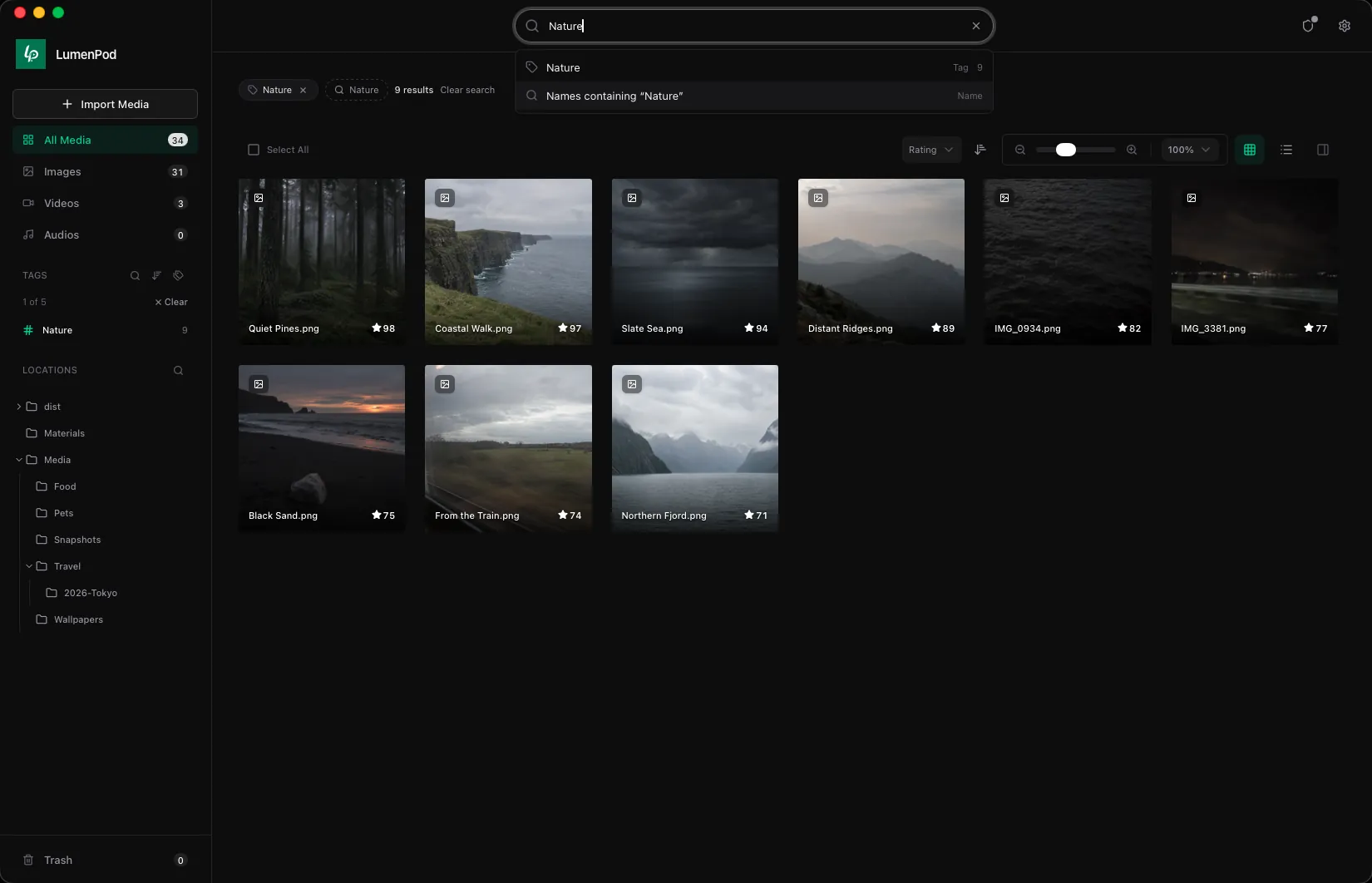
Search by tag or by name, across every folder
Rate, tag, hide, or encrypt from the side panel
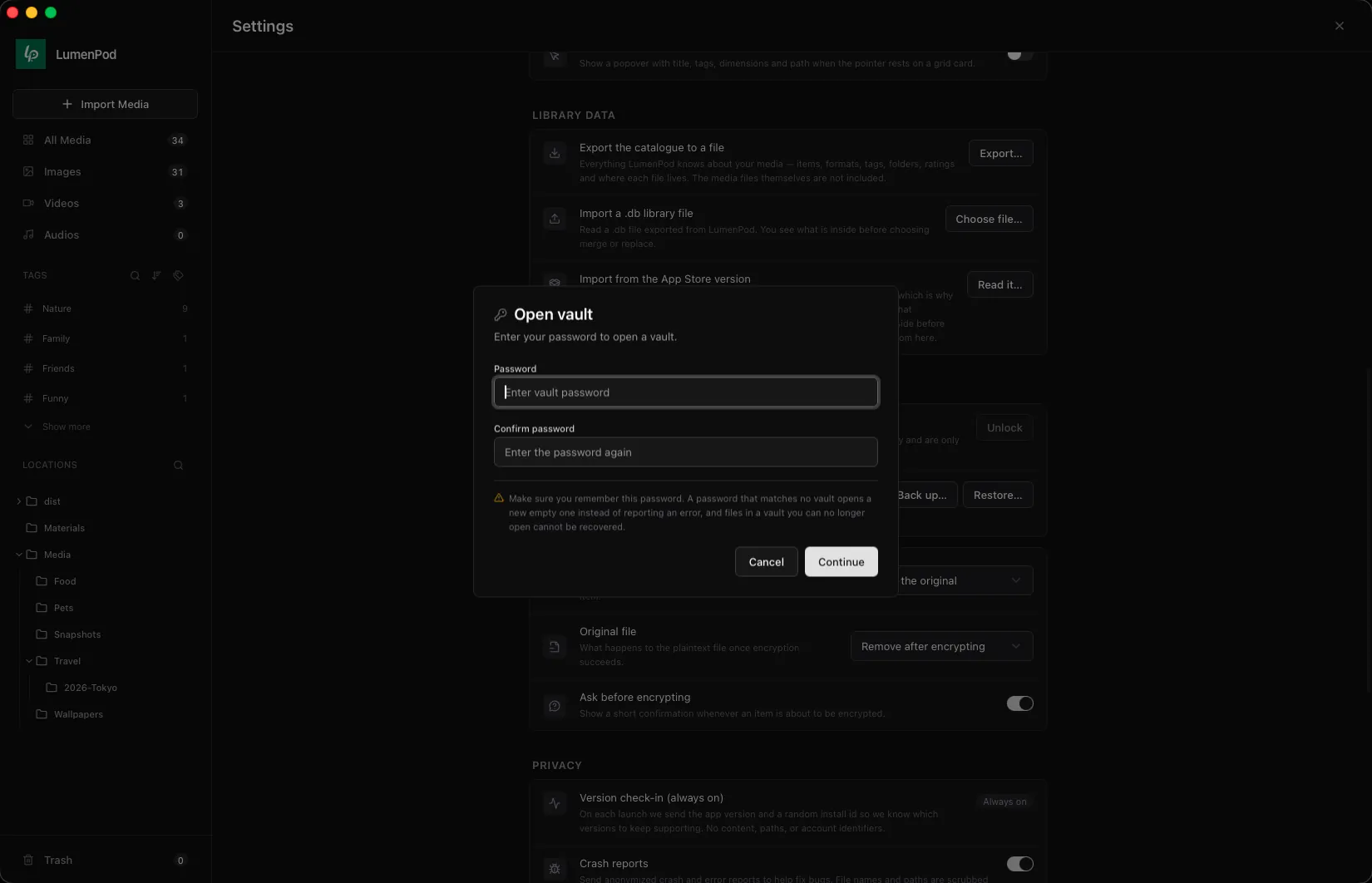
Each password opens its own vault
  • Locally encrypted vaults
  • Browse, preview, and play

Browse your personal collection with tags and ratings

About 10 MB · Activate with a license · $29.99

Collect your way

Images, videos and audio, organized with your own tags and ratings.

Keep it together

Alternate copies and related files, grouped as one item.

Make room for privacy

Local encryption for the parts of your collection you choose to protect.

Made for

For the things you keep collecting.

Build a personal media collection around what you love. Keep images, videos and audio easy to browse, easy to find, and organized on your own terms.

Images, videos and audio. One personal collection.

The images you save, the videos you keep, the recordings you return to. Browse them in one library and use tags and ratings to organize them around your interests, while your files stay in their folders.

Images · Videos · Audio · Tags · Ratings

Remember the collection, not which drive holds it.

Add folders from your Mac and external drives. Unplug one and its media stays in your library, marked offline, along with the drive it lives on. Connect it again to open the files.

External drives · Offline catalog · Search

One work, with all the files worth keeping.

Keep alternate copies and related resources together as one item. For a film, group the original, a smaller copy, cover art and subtitles. Still looking for a work? Add it by name and attach the file later.

Alternate copies · Related files · Manual entries

A collection you come back to.

Look through saved images, watch a collected video or listen to a recording. Browse and play from the same library, then tag and rate the things you want to find again.

Image viewing · Video and audio playback

Some of your collection is just for you.

Keep selected media out of everyday browsing, or encrypt files in local vaults with separate passwords. Hiding controls visibility; encryption protects file contents. Your media is not uploaded to LumenPod servers.

Hidden media · Local encryption · Separate vaults

External drives are supported in the direct-download edition.

01 / All of a piece

One title.
All its files.

A collected work can come with several files: alternate copies, cover art and related resources. Keep them together as one item. For a film, that might mean the original, a lighter copy, a poster and subtitles.

Every copy, one card.

Keep each format and resolution side by side, and choose which one plays. Add cover art for the card, and subtitles the player picks up.

Merge two items into one, or split a file back out
Add a title now, and its file when you find it
VideoInteractive illustration

Resources 6

  • Along the Coast.mov3840 × 2160 · 2.4 GBShown
  • Along the Coast 1080p.mp41920 × 1080 · 410 MB

Cover 1

  • Along the Coast.jpgShown on the card

Subtitles 2

  • Along the Coast.en.srtEnglish
  • Along the Coast.fr.srtFrench

Others 1

  • Along the Coast notes.txtTravels along

Resources 0

Added by name and type. The file comes later.

Cover

Subtitles

Others

Along the Coast: 6 files, one cardPick a card, then a copy

02 / A space of your own

Some things are
just for you.

A quieter library and a protected collection serve different needs. Choose what stays out of sight, and what needs a key.

Out of sight

Keep everyday browsing focused.

Hide selected media from your usual view, and see it again while a vault is unlocked. Hiding changes visibility; it is not a substitute for encryption.

All Media 4
Visibility control · Interactive illustration
Under lock

Give private media its own key.

Encrypt selected files locally. Each password opens its own vault, and vault keys stay off LumenPod servers. Keep a second copy on another drive: it stays encrypted, is checked once it's written, and its file name says nothing about what's inside.

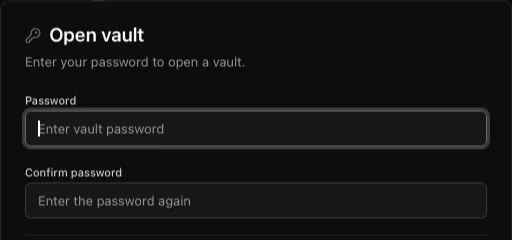
LumenPod's Open vault dialog asks for a vault password
Password-protected vaults · App detail

Your media stays on your disk. Keep backups of your files and vault recovery keys.

03 / A little order

Less searching.
More finding.

Your folders are only the beginning. Give your collection a little context with tags and ratings, and come back to the things you love.

A collection that makes sense to you.

Themes, genres, favorite artists. Organize your images, videos and audio your way, without rearranging your folders.

Search media, tags, and folders
Rate the ones worth coming back to
Start with your own folders
All MediaInteractive illustration

Tags

Lines & Light
Lines & Light.png99
Quiet Pines
Quiet Pines.png98
Coastal Walk
Coastal Walk.png97
Sunday Afternoon
Sunday Afternoon.png96
Winter Light
Winter Light.png90
Distant Ridges
Distant Ridges.png89
6 of 6 sample imagesEach tag you add narrows the set

04 / Time to enjoy

Collected to keep.
Ready to enjoy.

Return to what you collected. View images, watch videos and listen to audio from the same library. Try the image and video viewer below.

Along the Coast.mp43 / 6

In this view3 / 6

Aerial view along a coastline
00:0000:24

Details

Along the Coast.mp4

91

Tags

encryptedNature
Type
Video
Duration
00:24
Step through the view you filteredRate and tag without leavingEncrypted video plays right hereInteractive illustration

How it works

From scattered folders to a personal collection.

01

Add your folders

After activating LumenPod, add folders from your Mac or an external drive. Browse existing media without moving it into a separate library.

02

Organize and preview

Add tags and ratings to your collection. Keep alternate copies together, view images, and play videos and audio in the same library.

03

Protect private media

Create a password-protected vault and encrypt the media you choose. Save both recovery files and keep the key file separately from the data file.

Pricing

One license. One price.

One license unlocks all of LumenPod — no tiers, no add-ons, no upsells. Every purchase has a 14-day refund window.

LumenPod Pro · One-time purchase

$29.99

Pay once. No subscription.

What's included

  • Items that keep every copy, cover and subtitle together
  • An offline catalog of your external drives
  • Locally encrypted vaults, each with its own password
  • Encrypted videos that play in place, with no decrypted copy on disk
  • Batch media encryption
  • Read-only sharing to a browser or WebDAV app on your network
  • Up to 3 Macs per license
  • Email support

Frequently asked

Questions before you download.

Learn about activation, privacy, and keeping access to your files. For anything else, write to support@lumenpod.app.

How do I start using LumenPod?

Download the Mac app, then paste in the activation code from your purchase. Downloading alone does not unlock it.

Does LumenPod need an internet connection?

Media encryption and decryption happen locally. License activation and checks use an internet connection. Your media is not uploaded to LumenPod servers. Optional crash diagnostics and usage analytics are off by default; you can enable them in Settings → Privacy.

If my license lapses, do my vaults lock?

No. Your files stay on your disk and your vaults stay decryptable with your access password. A lapsed license gates three things — creating new vaults, protecting media, and batch protection — and never the ability to open, view, preview, export, or recover what you already have.

The intent is simple: paying gets you new work, not the right to open files you already protected. If you want to stop paying and keep the paid features too, that's what the one-time license is for.

What's the refund policy?

14 days, no questions asked, and you don't have to ask us — open your orders and request the refund yourself. It goes back through the original checkout provider. If anything gets stuck, email support@lumenpod.app from the account you bought with. The full policy lives in the Terms of Service.

Which macOS versions are supported?

macOS 12 Monterey or later, on Apple Silicon (M1 / M2 / M3 / M4). The download is an Apple Silicon build — Intel Macs are not supported. The two most recent macOS releases get the most testing — older supported releases may receive fixes on a best-effort basis.

How is LumenPod different from folders or a photo library?

LumenPod is for personal collections of images, videos and audio. The direct-download edition catalogs your existing folders without moving your originals into a separate library. Files on disconnected drives stay listed in the offline catalog, so you can find which drive holds an item. An item can hold more than one file — alternate copies, cover art, subtitles — so a title stays one entry instead of a handful of loose files. Organize media with tags and ratings, and protect selected files with local encryption. Your media is not uploaded to LumenPod servers.

Uninstalling the app does not automatically delete your unencrypted originals. Encrypted files still need a compatible copy of LumenPod and the appropriate keys to open — keep backups of both your media and your recovery files.

Can I use multiple encrypted vaults with different passwords?

Yes. LumenPod supports multiple local encrypted vaults, each opened with its own password. The password dialog does not list your vaults; a password that does not match an existing vault can open a new, empty one. Check the intended password if a collection looks unexpectedly empty.

This multi-vault behavior is designed with plausible deniability in mind, but it is not a guarantee that encrypted files or other vaults cannot be detected through disk inspection, metadata, backups or recovery files. Keep copies of your media and the required recovery files.

Is LumenPod a lightweight local media organizer?

The current Apple Silicon Mac download is about 10 MB. LumenPod organizes local images, videos and audio without uploading them to LumenPod servers. Catalogs and supporting data use additional disk space; import time and playback performance depend on your collection, storage and file formats.

Can I reach my library from my iPhone or another Mac?

The current direct-download edition supports local network (LAN) access. Start Browser & WebDAV sharing to browse public media from a browser or compatible WebDAV client on another device. This share is read-only and has no password: anyone who can reach it on your network can access unencrypted, unhidden public media while it runs. Encrypted and hidden media are excluded.

Multi-device access is different from library sync. Automatic synchronization between Macs is not enabled in the standard build. A license covering up to 3 Macs does not itself synchronize their libraries. See local media sharing over LAN and WebDAV.

If you (the developer) ever stop running LumenPod, what about my encrypted files?

Encryption and decryption happen locally; LumenPod servers do not hold your vault keys. The direct-download app allows access to existing vaults without an active license. Keep a compatible copy of the app, your vault backups, and the keys needed to unlock them.

Recovery requires both the exported data file and its matching key file. Store them separately, and update your recovery backup when the app indicates it no longer covers your vaults. Recovery files do not replace backups of your media.

Will LumenPod be on the Mac App Store or Setapp?

What ships today is the direct download on this page, and everything above describes it. A Mac App Store edition is built and waiting on Apple's review — we can't give a date for it, and nothing on this page is a promise that it will arrive. No Setapp.

The two editions are not interchangeable. The App Store one is a paid app bought once from Apple: no account with us, no activation code, refunds through Apple. It also runs sandboxed, so its library lives inside the app's own container — importing copies your files rather than cataloguing them where they sit, and external volumes, network volumes and handing a file to an external player are direct-download only. A licence bought here does not carry over to an App Store install, or the other way round.

The licence agreement, privacy policy and support page describe both editions and label every clause that applies to only one. This site stays the source of truth for pricing and the latest direct build.
Collection guides

A little order for the things you keep.

All collection guides ↗

From the guide

How to keep photos private on Mac

Hidden albums, FileVault and encrypted vaults: choose the protection that fits your collection, then check the copies outside it.

Read the guide

Make your collection feel like yours.

Download LumenPod for Mac and activate it with a license. Bring your images, videos and audio together. Organize your collection and return to the things you love.

Coming soon — the download will be available shortly.